The End of the Reboot: How Microsoft’s Hotpatch Is Changing Windows Updates Forever
The Patch Tuesday Predicament
If you’ve used Windows for more than a week, you know the drill. It’s Tuesday evening, you’re in the middle of something important, and that notification pops up: “Your computer needs to restart to finish installing updates.” You click “Remind me later” for the third time, knowing full well that eventually Windows will win this battle of wills.
For decades, this has been the trade-off we’ve accepted for security. Want protection against the latest vulnerabilities? Better schedule some downtime.
But what if I told you Microsoft has finally cracked the code on something that’s plagued Windows users since the 90s?
Enter hotpatch updates—a technology that’s quietly revolutionizing how Windows stays secure.
And starting May 2026, it’s becoming the default for millions of enterprise devices. This isn’t just another incremental improvement. This is Microsoft fundamentally rethinking how operating systems handle security updates, and the implications are bigger than you might think.
What Exactly Is Hotpatch and Why Should You Care
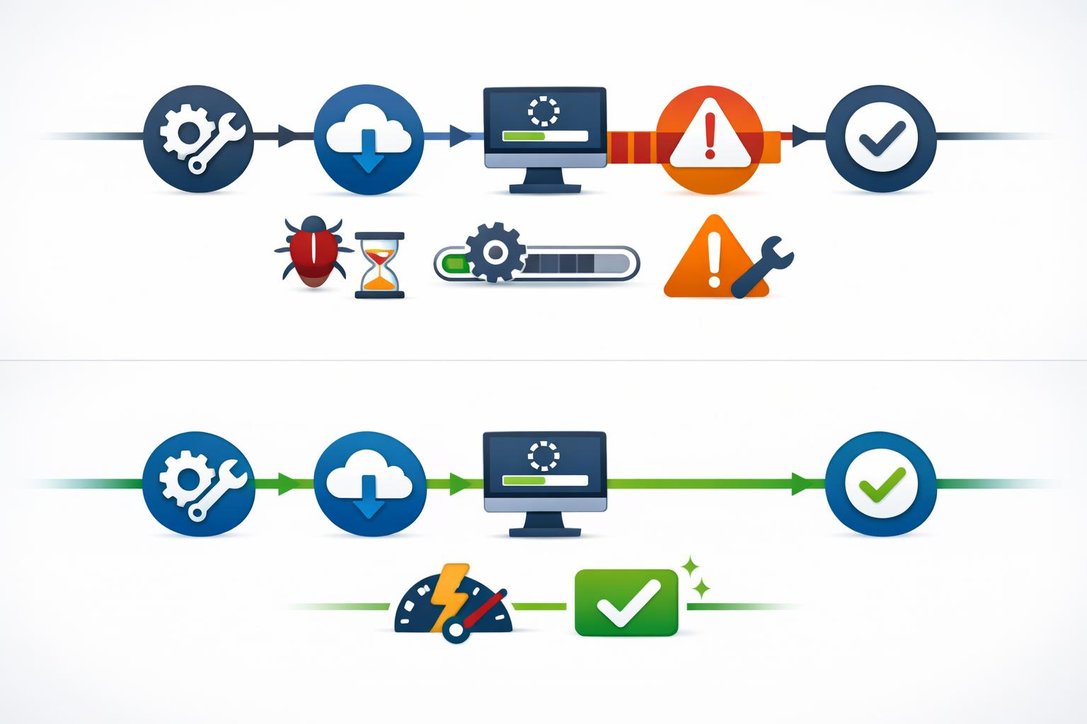
Hotpatch is exactly what it sounds like: security patches that apply while your system is running, without requiring a restart.
Think of it like changing a tire while the car is still moving—something that sounds impossible but turns out to be brilliant engineering.
Here’s how it works in practice. Traditional Windows updates download a package, install files, but then sit in limbo until you restart. During that waiting period—which Microsoft data shows averages 3-5 days in enterprise environments—your computer remains vulnerable.
Hotpatch flips this model entirely.
These updates modify running code in memory, targeting specific security vulnerabilities with surgical precision. The security fix takes effect the moment installation completes. No restart. No waiting. No vulnerability window.
The technology isn’t entirely new—Microsoft has offered hotpatching for Windows Server in Azure environments for years. But bringing it to Windows 11 client devices represents a massive leap forward. It requires some serious prerequisites, including virtualization-based security (VBS) and Windows 11 version 24H2 or later, but for devices that qualify, the benefits are transformative.
The Numbers That Tell the Real Story
Microsoft didn’t just build hotpatch on theory—they tested it with real companies managing massive device fleets. The results are striking.
Four different organizations with 30,000-70,000 devices each reported reaching 90% patch compliance in half the previous time, without changing any policies.
That’s not a marginal improvement; that’s a fundamental shift in security posture.
| Update Method | Days to 90% Compliance |
|---|---|
| Traditional Updates | 10 days |
| Hotpatch Updates | 5 days |
Today, over 10 million production devices are already enrolled in hotpatch updates . These aren’t beta testers or early adopters—these are enterprises trusting their security to this technology.
The update packages themselves tell another compelling story. Hotpatch updates are more than 10 times smaller than standard cumulative updates. Instead of downloading hundreds of megabytes of features, quality fixes, and accumulated patches, hotpatch delivers only the security-focused code changes needed.
Smaller size means faster downloads, lower bandwidth consumption, and quicker installation. For organizations with distributed workforces or limited network capacity, this efficiency gain alone justifies adoption.
How the Quarterly Cycle Actually Works
Hotpatch doesn’t eliminate restarts—let’s be clear about that. Instead, it operates on a smart quarterly cycle that balances security speed with system stability.
Here’s the cadence: every January, April, July, and October, devices receive a cumulative baseline update that requires one restart. This baseline includes all the security fixes, new features, and enhancements accumulated since the last baseline. It’s the foundation that makes everything else possible.
Then, during the subsequent two months, devices receive hotpatch updates exclusively. These are security-only patches that install and activate without any restart. February and March get hotpatches. May and June get hotpatches. You get the pattern.
This means you’re looking at four mandatory restarts per year instead of twelve. That’s a 67% reduction in disruption.
For the average user, this translates to fewer interruptions during critical work. For IT administrators, it means faster security compliance and fewer support tickets about lost work from unexpected reboots. And for the security team, it means vulnerabilities get closed in hours instead of days.
The Security Architecture Behind the Magic
What makes hotpatch possible isn’t just clever coding—it’s built on some of Windows 11’s most advanced security features.
The key prerequisite is virtualization-based security (VBS), which Microsoft describes as foundational to the entire system .
VBS uses hardware virtualization to run a secure kernel in a hypervisor-isolated environment, separate from the main operating system. Even if the main OS gets compromised, the secure kernel remains protected. For hotpatch, VBS provides the trusted environment needed to safely update running kernel code without destabilizing the system.
This architecture means hotpatch updates only apply to devices that already have a robust security baseline. Modern Windows 11 hardware supporting VBS also includes protections like silicon-rooted security and firmware integrity checks.
In other words, if your device qualifies for hotpatch, it’s already among the most secure Windows machines out there.
Microsoft calls this approach “secure by design and secure by default”—security isn’t bolted on afterward; it’s embedded in the foundation .
The hotpatch prerequisite list reinforces this philosophy. You need Windows 11 Enterprise E3/E5, Education A3/A5, or Microsoft 365 Business Premium licenses. You need version 24H2 or later. You need VBS enabled. These aren’t arbitrary restrictions—they’re ensuring that the technology only deploys where the security architecture can support it properly.
What May 2026 Changes for Everyone
Starting with the May 2026 Windows security update, Microsoft is making hotpatch the default behavior for all eligible devices managed through Windows Autopatch .
This is a significant policy shift. Previously, IT administrators had to manually enable hotpatch for their device fleets. Now, it’s opt-out rather than opt-in.
Microsoft is giving organizations some control here. New tenant-level settings launched April 1, 2026, allowing administrators to disable hotpatch at the organizational level or for specific device groups . And because April is a baseline month, there’s a built-in grace period—admins have until May 11 before any hotpatch updates actually deploy.
For most users, this change will be invisible. You won’t notice hotpatch working; you’ll just notice the absence of restart prompts. Your device will silently become more secure in the background while you keep working. That’s the whole point.
But for the broader Windows ecosystem, this represents Microsoft’s confidence in the technology. When you make something the default for millions of enterprise devices, you’re making a statement about maturity and reliability. Hotpatch has graduated from optional feature to core security strategy.